Client portal
Everything around your trading, in one place
The client portal is where you register, verify your identity, open trading accounts, move money and secure your login. The terminal opens from it.
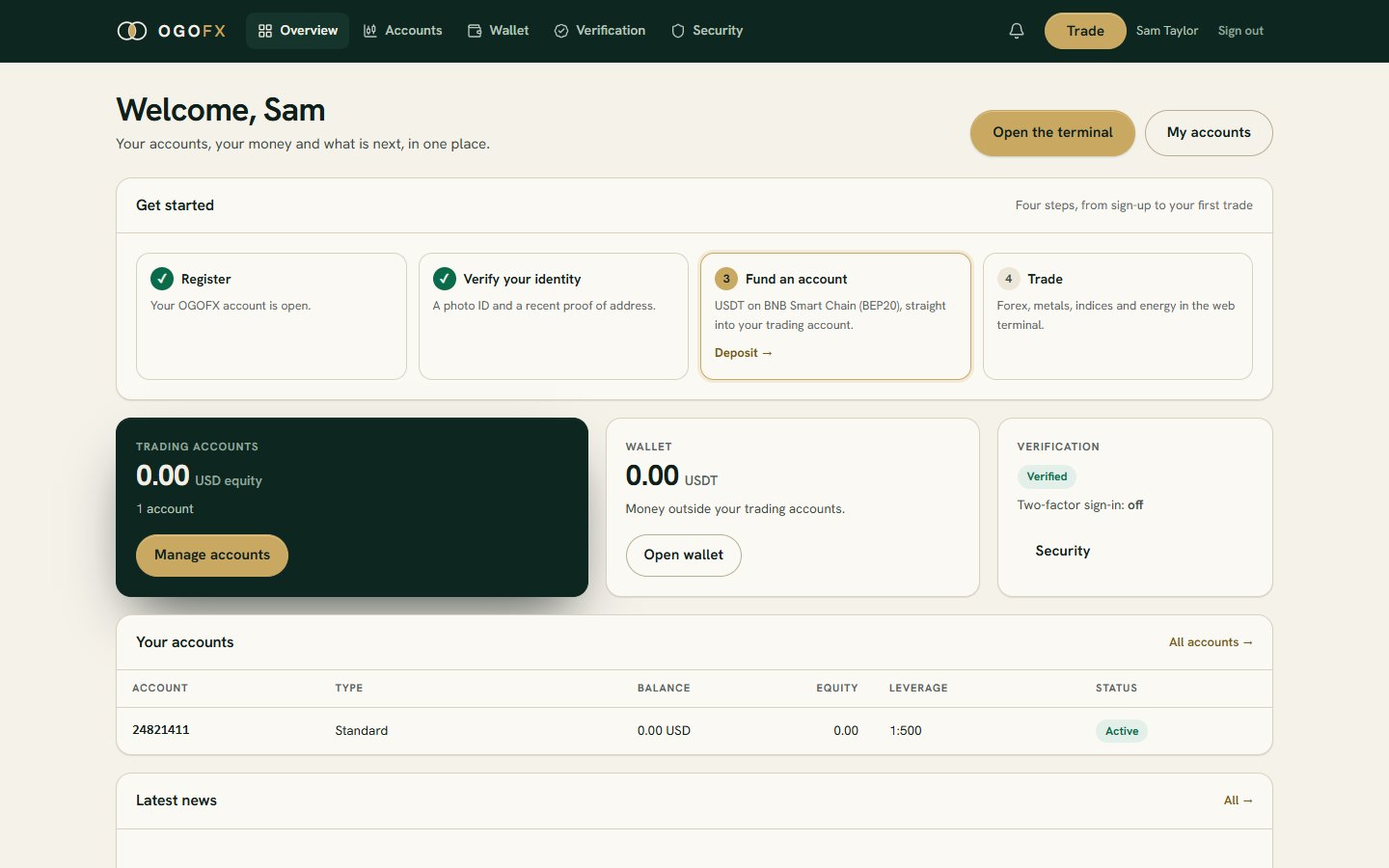
What the portal does
-
Registration
Name, email, mobile number, country of residence and a password. Then confirm your email.
-
Verification
Upload a photo ID and a proof of address. A person on our team reviews them.
-
Trading accounts
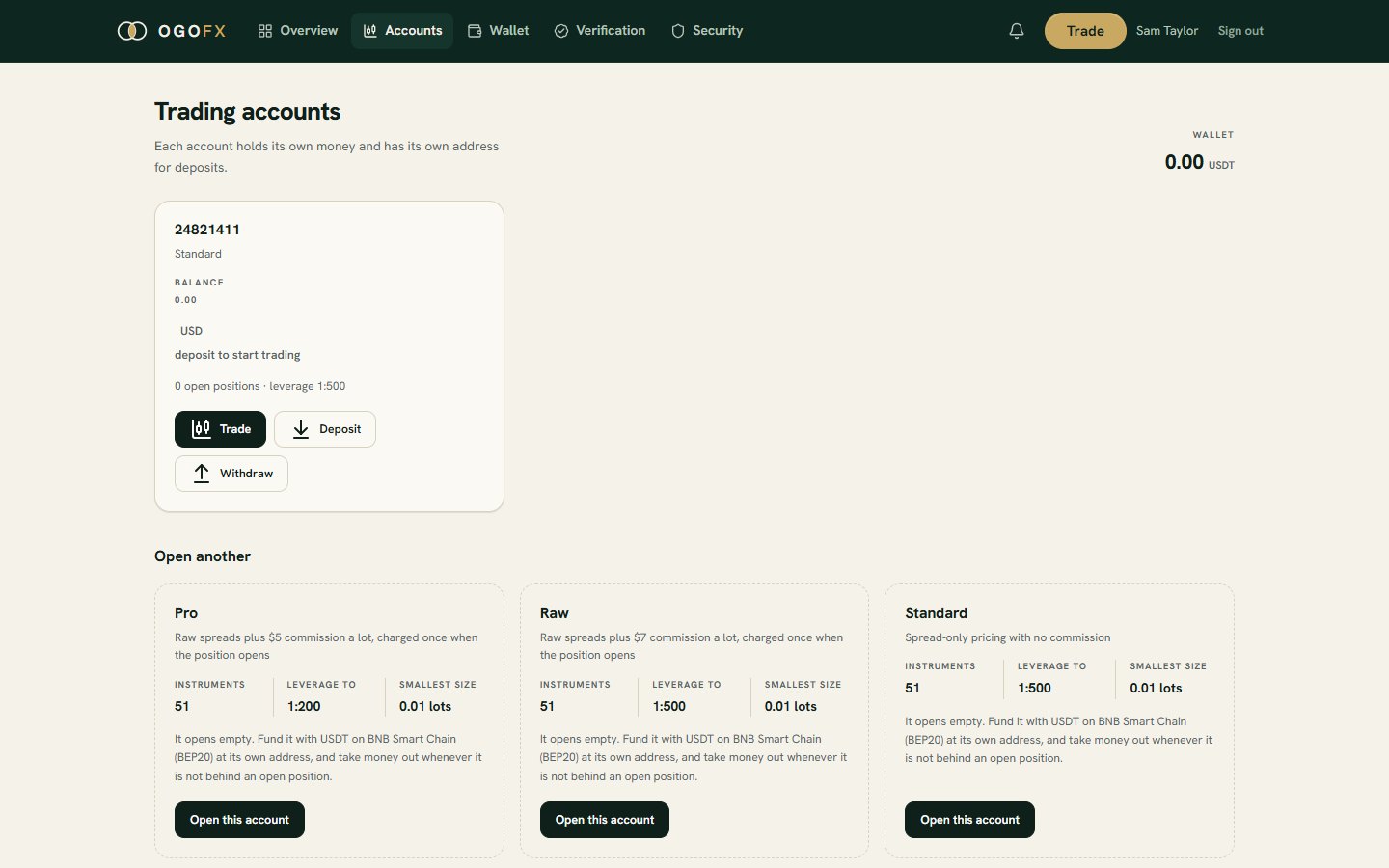
Open up to 3 accounts, Standard, Raw or Pro, each with the leverage you choose.
-
Deposits
Each trading account has its own USDT deposit address on BNB Smart Chain (BEP20).
-
Wallet and withdrawals
Move money between your wallet and your trading accounts, and request USDT to a BEP20 address of your own. Our team reviews and sends each withdrawal.
-
Security
Optional two-factor sign-in with an authenticator app, and recovery codes if you lose your phone.
Open the accounts you need
You can hold up to 3 trading accounts. For each one you choose:
- The account type. Standard, first deposit from $5: no commission; its markup is in the spread ($1 a lot on currency pairs, 50% of the spread on metals, indices and energy). Raw, from $5,000, and Pro, from $20,000: the liquidity provider's raw spread plus commission per lot ($7 on Raw, $5 on Pro), charged once when the position opens. Swap is charged or paid at the daily rollover, at the same rates on every account.
- The leverage. Chosen when the account is opened, from 1:1 up to the account's maximum: 1:500 on Standard, 1:500 on Raw and 1:200 on Pro.
Accounts are held in USD. Compare the accounts.
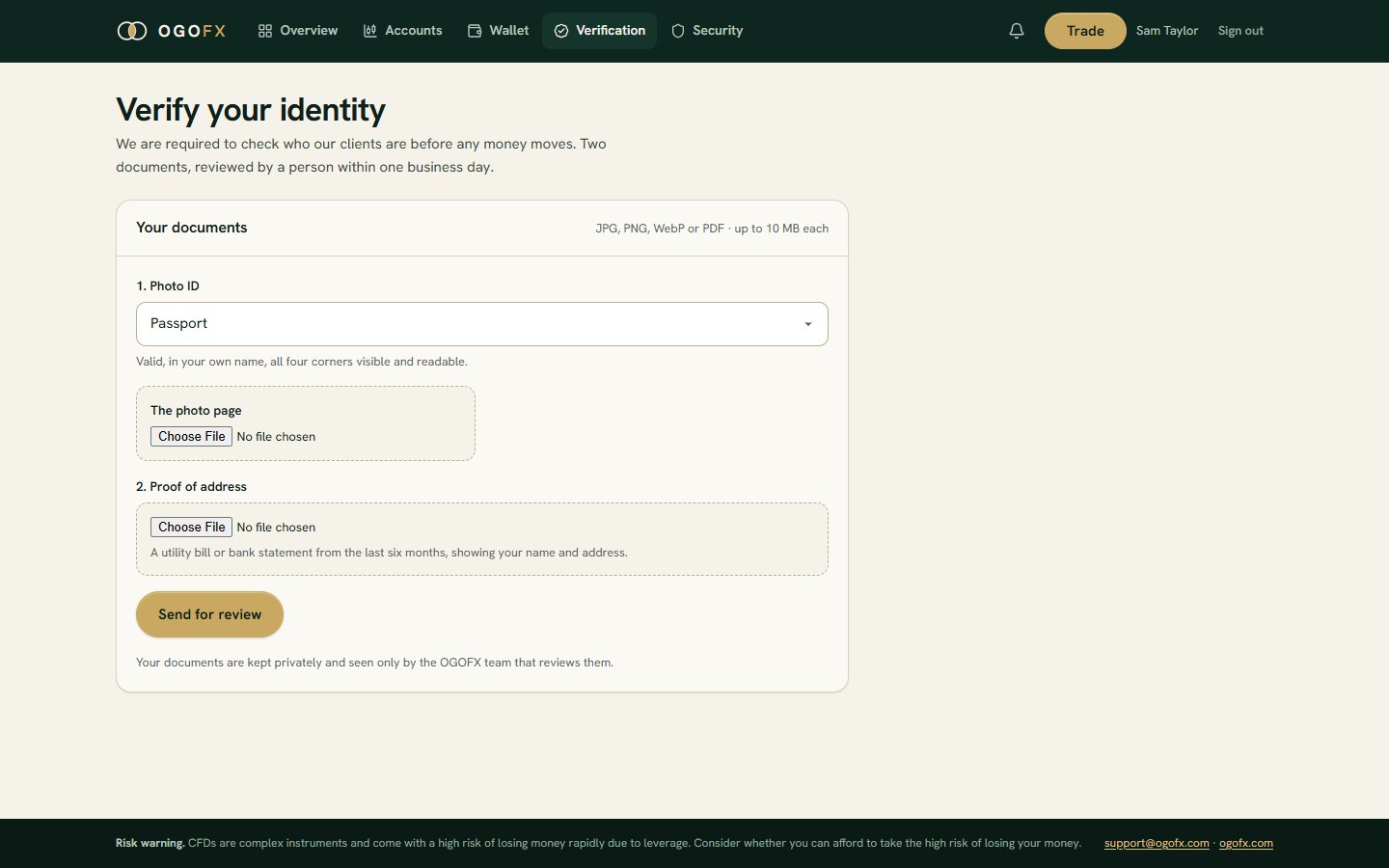
Verify your identity
We check who our clients are before any money moves. Upload two documents from the portal:
- Photo ID: a passport, national ID card or driving licence.
- Proof of address.
Files can be JPEG, PNG, WebP or PDF, up to 10 MB each. A person on our team reviews them, and the portal shows the result.
Questions about verification: verification@ogofx.com.
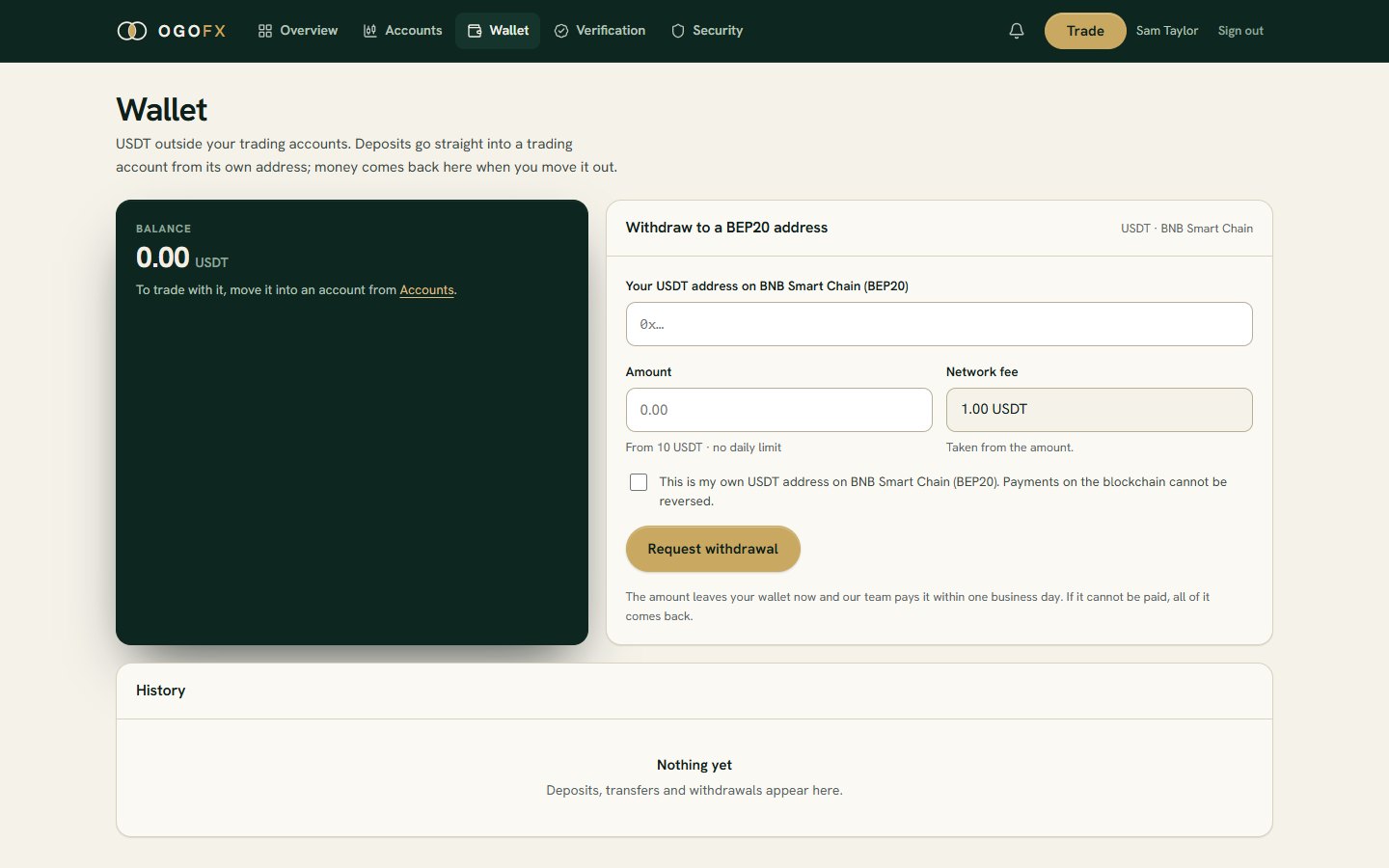
Money in and out in USDT
Funding uses USDT on BNB Smart Chain (BEP20) only, and only verified clients can deposit or withdraw.
- Deposits go to the trading account's own deposit address, shown in the portal. OGOFX charges no deposit fee. A deposit is credited after the network confirms the transfer; one above $50 is credited after a check by the OGOFX team. A deposit smaller than 1 USDT waits on the address and is added to the next one. USDT is credited one to one as USD.
- Your wallet sits in the portal beside your trading accounts. You can move money between the wallet and any of your trading accounts.
- Withdrawals come from the wallet or from a trading account's free margin, to a BEP20 address of your own. The OGOFX team reviews and sends every withdrawal. The smallest withdrawal is 10 USDT, the withdrawal fee is 1 USDT, up to 3 requests can wait at once, and there is no daily limit.
Send only USDT on BNB Smart Chain to a deposit address. Full terms are on deposits and withdrawals.
Keep your login yours
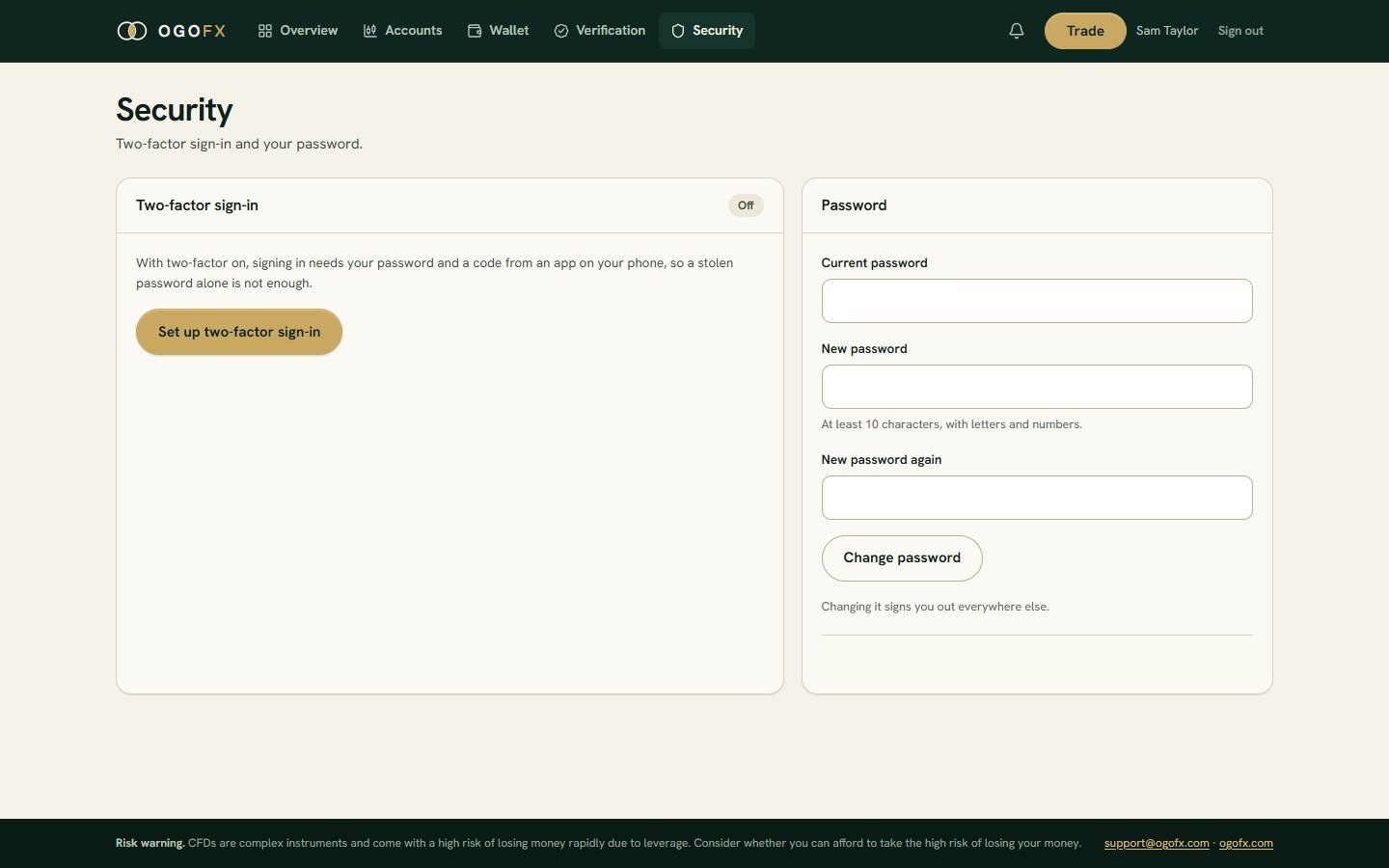
Turn on two-factor sign-in and every sign-in asks for your password and a code from an authenticator app on your phone, so a stolen password alone is not enough.
- Recovery codes let you sign in if you lose your phone. Keep them somewhere safe.
- Your password has at least 10 characters, with letters and numbers.
- A portal session lasts 2 hours from your last request, and closing the browser does not end it. If you choose to stay signed in, that browser keeps you signed in for about 400 days or until you sign out on it. On a shared computer, sign out when you finish.
How the portal's cookies work is set out in the Cookie Policy.
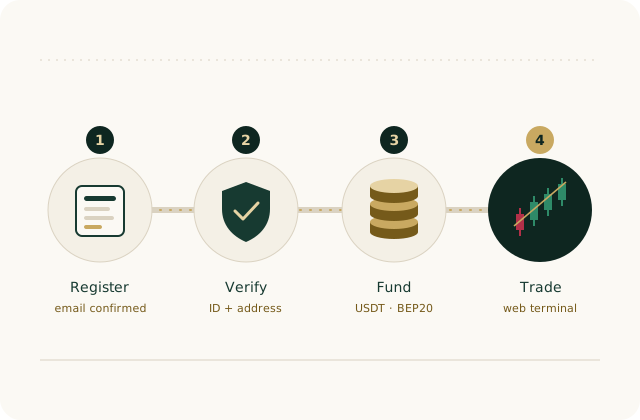
From sign-up to your first trade
Every step happens in the portal.
-
Step 1: Register
Enter your details and choose a password. Accept the Client Agreement, the Terms of Business and the Regulations for Non-Trading Operations, confirm you have read the Risk Disclosure, the Privacy Policy and the Cookie Policy, then confirm your email.
-
Step 2: Verify
Upload your photo ID and proof of address for review.
-
Step 3: Open an account and fund it
Choose Standard, Raw or Pro and your leverage, then send USDT (BEP20) to the account's deposit address. It is credited once the network confirms it.
-
Step 4: Trade
Open the web terminal from the portal, on your computer or your phone.
Before you register
You give your country of residence when you register. OGOFX does not offer its services to residents of the United States.
Read the Client Agreement, the Terms of Business, the Regulations for Non-Trading Operations and the Risk Disclosure before you open an account.
Questions about the portal go to support@ogofx.com. Support is available 24 hours a day, Monday to Friday.
Open your client portal
Register, then verify, fund and trade from the same place.