Web terminal
The OGOFX terminal, in your browser
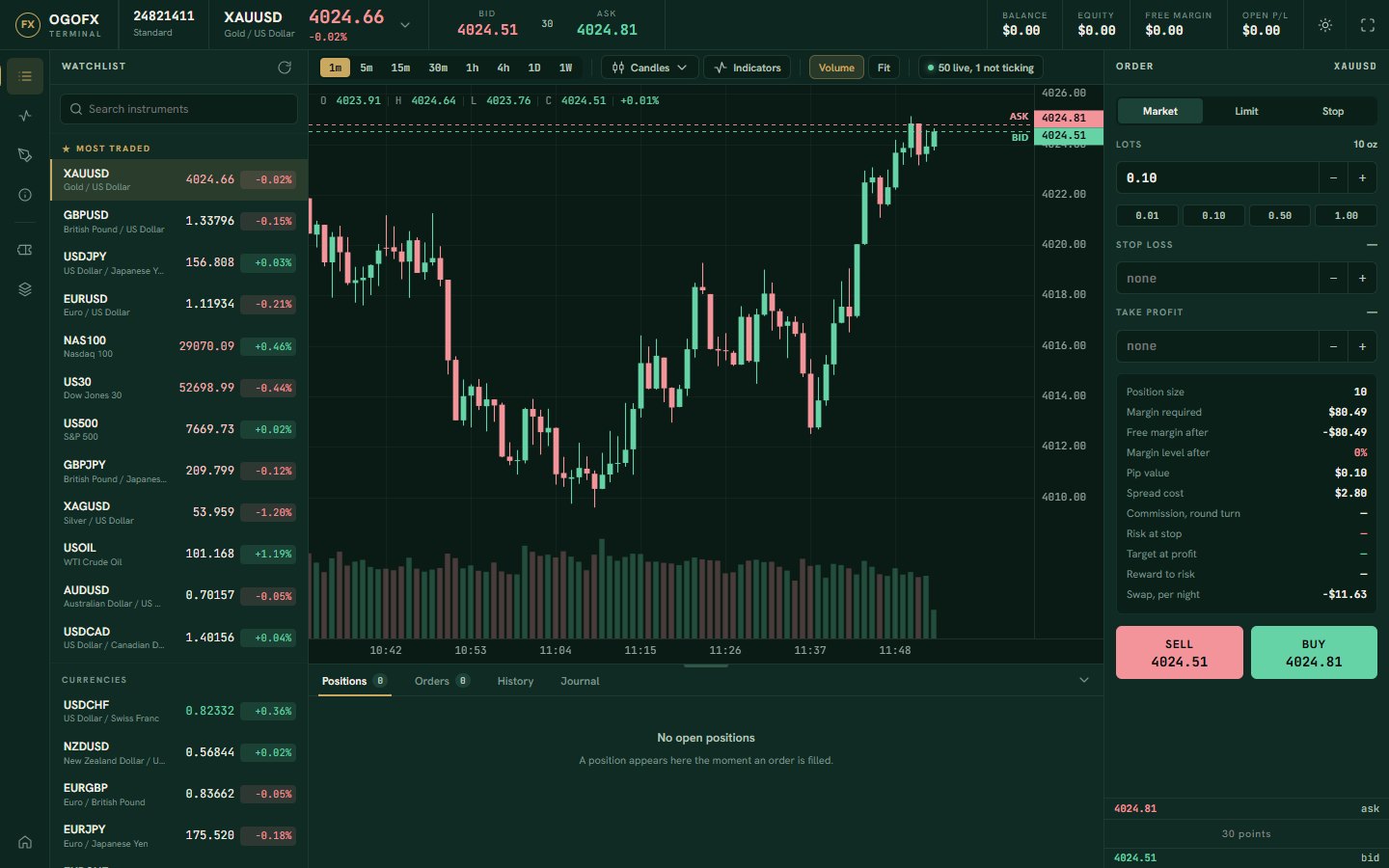
Charts, the order ticket, your positions and your account figures on one screen. It is OGOFX's own platform and it runs in the browser, so there is nothing to download, install or update.
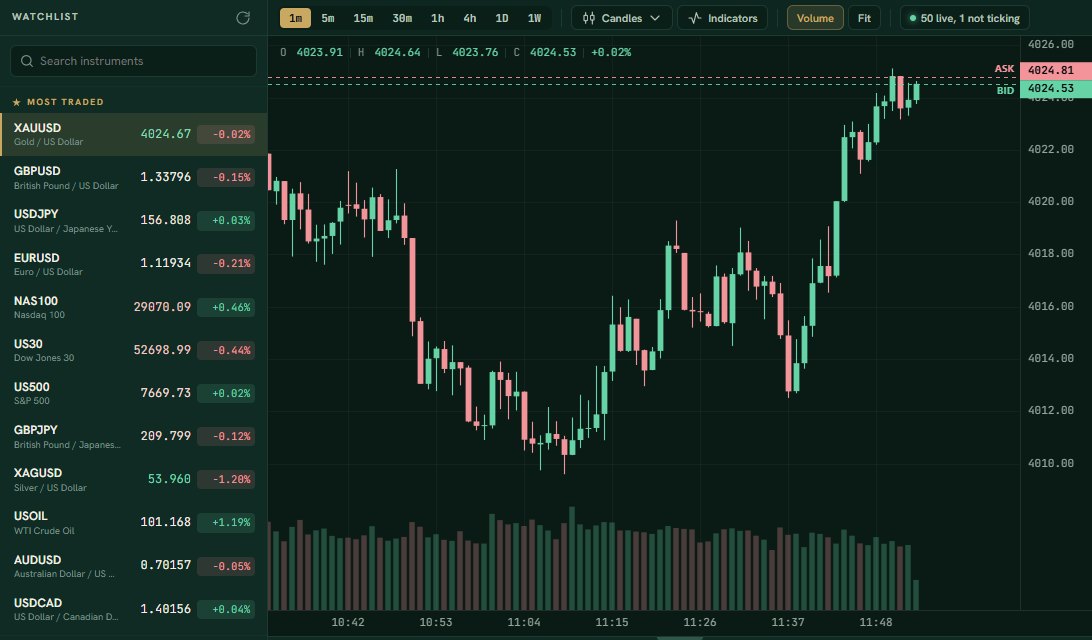
- instruments in one watchlist
- 51
- currency pairs
- 32
- lots, the smallest order on currency pairs
- 0.01
- maximum leverage on Standard
- 1:500
What is on the screen
One window holds everything you need to place, watch and close a trade.
-
Nothing to install
Sign in to the client portal and open the terminal in the browser on your computer. It is OGOFX's own platform, so there is no separate program to download.
-
8 timeframes, 5 chart types
From one minute to one week, drawn as candles, bars, Heikin Ashi, a line or an area.
-
9 studies
Trend, momentum and volatility studies, from moving averages and Bollinger bands to RSI and MACD.
-
8 drawing tools
Mark levels, ranges and channels, including Fibonacci retracements, text and arrows.
-
Market, limit and stop orders
With stop loss and take profit on the ticket, one-click trading when you want it and partial closes.
-
Your account, live
Balance, equity, free margin and margin level, updated as prices move, with your positions, pending orders and history below the chart.
Charts made for reading price
Every instrument opens on its own chart, priced from the live platform. Change the timeframe or the chart type in one click, and add the studies and drawings you work with.
Timeframes
1m, 5m, 15m, 30m, 1h, 4h, 1D and 1W.
Chart types
Candles, bars, Heikin Ashi, line and area.
Studies
- Trend: moving average, Bollinger bands, session VWAP, Supertrend
- Momentum: RSI, MACD, stochastic
- Volatility and activity: ATR, volume
Drawing tools
Trendline, horizontal line, vertical line, rectangle, Fibonacci retracement, equidistant channel, text and arrow.
An order ticket that says what it will do
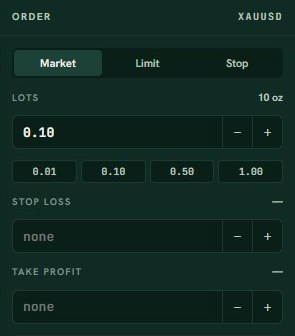
On the ticket you choose the order type and the size in lots, and set a stop loss and take profit before you send it. The terminal quotes the sell and buy prices together, so you can see the spread before you trade.
- Market orders are executed at the market price available when the order reaches the liquidity provider.
- Limit orders wait for a better price than now.
- Stop orders wait for price to move through a level.
- Stop loss and take profit can be set on the order, or added to an open position later.
Orders are sized from 0.01 lots in steps of 0.01. Each account can hold up to 2 lots open in any one instrument, so the largest order is 2 lots. The limit counts per instrument on each account, not across the account as a whole. Some instruments have a larger minimum size, listed in the contract specifications.
Standard has no commission; its markup is in the spread ($1 a lot on currency pairs, 50% of the spread on metals, indices and energy). Raw and Pro trade the liquidity provider's raw spread plus a commission per lot ($7 on Raw, $5 on Pro), charged once when the position opens. Swap on positions held past the daily rollover is charged or paid separately. See fees.
Each order asks you to confirm it. If you prefer, you can switch to one-click trading, which sends the order as soon as you press sell or buy.
From the ticket to a closed position
What happens to an order once you send it.
-
Step 1: You place the order
Choose the instrument, the size and the order type, and set a stop loss and take profit if you want them.
-
Step 2: It is executed
Market orders are executed at market through OGOFX's liquidity provider. Limit and stop orders wait in your pending orders until price reaches their level, and are then executed.
-
Step 3: The position is open
It appears under positions with its running profit or loss, and your equity, free margin and margin level move with it.
-
Step 4: You close all or part
Close the whole position, or close part of it and keep the rest open. The result moves to your history.
Margin, stop-out and overnight positions
The terminal keeps your margin level in view because it decides what happens to your positions. Margin level is your equity as a percentage of the margin your open positions use.
| Term | What it means |
|---|---|
| Margin call | At a margin level of 100% on Standard, 100% on Raw and 100% on Pro, your equity has fallen to the margin your positions use. Add funds or reduce your positions. |
| Stop-out | At a margin level of 50% on Standard, 50% on Raw and 50% on Pro, positions are closed automatically to stop further loss. |
| Negative balance | A loss deeper than the balance is written off; the balance stops at zero. |
| Swap | A position held past the broker's daily rollover, at midnight broker server time (UTC+3 at the time of publishing; it moves by an hour with daylight saving), is charged or paid swap. Today Wednesday counts three nights on every instrument. The rates are the same on every account: the provider's rate with a 50% markup, so a charged swap is made larger and a paid swap smaller. |
Swap rates per instrument, in US dollars per lot per night, are on the fees page, and the margin calculator is on leverage and margin.
Prices in the terminal now
Live sell and buy prices from the Standard account. Every instrument here is in the terminal's watchlist.
| Instrument | Market | Sell | Buy | Spread | Today |
|---|---|---|---|---|---|
| AUDCADAustralian Dollar / Canadian Dollar | Forex | — | — | — | — |
| AUDCHFAustralian Dollar / Swiss Franc | Forex | — | — | — | — |
| AUDJPYAustralian Dollar / Japanese Yen | Forex | — | — | — | — |
| AUDNZDAustralian Dollar / New Zealand Dollar | Forex | — | — | — | — |
| AUDUSDAustralian Dollar / US Dollar | Forex | — | — | — | — |
| CADCHFCanadian Dollar / Swiss Franc | Forex | — | — | — | — |
| CADJPYCanadian Dollar / Japanese Yen | Forex | — | — | — | — |
| CHFJPYSwiss Franc / Japanese Yen | Forex | — | — | — | — |
| EURAUDEuro / Australian Dollar | Forex | — | — | — | — |
| EURCADEuro / Canadian Dollar | Forex | — | — | — | — |
| EURCHFEuro / Swiss Franc | Forex | — | — | — | — |
| EURGBPEuro / British Pound | Forex | — | — | — | — |
| EURJPYEuro / Japanese Yen | Forex | — | — | — | — |
| EURNZDEuro / New Zealand Dollar | Forex | — | — | — | — |
| EURUSDEuro / US Dollar | Forex | — | — | — | — |
| GBPAUDBritish Pound / Australian Dollar | Forex | — | — | — | — |
| GBPCADBritish Pound / Canadian Dollar | Forex | — | — | — | — |
| GBPCHFBritish Pound / Swiss Franc | Forex | — | — | — | — |
| GBPJPYBritish Pound / Japanese Yen | Forex | — | — | — | — |
| GBPNZDBritish Pound / New Zealand Dollar | Forex | — | — | — | — |
| GBPUSDBritish Pound / US Dollar | Forex | — | — | — | — |
| NZDCADNew Zealand Dollar / Canadian Dollar | Forex | — | — | — | — |
| NZDCHFNew Zealand Dollar / Swiss Franc | Forex | — | — | — | — |
| NZDJPYNew Zealand Dollar / Japanese Yen | Forex | — | — | — | — |
| NZDUSDNew Zealand Dollar / US Dollar | Forex | — | — | — | — |
| USDCADUS Dollar / Canadian Dollar | Forex | — | — | — | — |
| USDCHFUS Dollar / Swiss Franc | Forex | — | — | — | — |
| USDCNHUS Dollar / Chinese Yuan | Forex | — | — | — | — |
| USDJPYUS Dollar / Japanese Yen | Forex | — | — | — | — |
| USDNOKUS Dollar / Norwegian Krone | Forex | — | — | — | — |
| USDSEKUS Dollar / Swedish Krona | Forex | — | — | — | — |
| USDSGDUS Dollar / Singapore Dollar | Forex | — | — | — | — |
| XAGUSDSilver / US Dollar | Metals | — | — | — | — |
| XAUEURGold / Euro | Metals | — | — | — | — |
| XAUUSDGold / US Dollar | Metals | — | — | — | — |
| XPDUSDPalladium / US Dollar | Metals | — | — | — | — |
| XPTUSDPlatinum / US Dollar | Metals | — | — | — | — |
| AUS200Australia 200 (ASX) | Indices | — | — | — | — |
| EU50Euro Stoxx 50 | Indices | — | — | — | — |
| FRA40France 40 (CAC) | Indices | — | — | — | — |
| GER40Germany 40 (DAX) | Indices | — | — | — | — |
| HK50Hong Kong 50 (Hang Seng) | Indices | — | — | — | — |
| JP225Japan 225 (Nikkei) | Indices | — | — | — | — |
| NAS100Nasdaq 100 | Indices | — | — | — | — |
| UK100UK 100 (FTSE) | Indices | — | — | — | — |
| US2000Russell 2000 | Indices | — | — | — | — |
| US30Dow Jones 30 | Indices | — | — | — | — |
| US500S&P 500 | Indices | — | — | — | — |
| NATGASNatural Gas | Energy | — | — | — | — |
| UKOILBrent Crude Oil | Energy | — | — | — | — |
| USOILWTI Crude Oil | Energy | — | — | — | — |
Indicative prices from the OGOFX platform, updated every two seconds. Spreads are variable and widen around news and market opens. Currency pairs: spread in pips; other markets: the difference in price, as quoted.
Trade from your browser
Open an account in the client portal, verify your identity and fund it with USDT on BNB Smart Chain (BEP20) to the trading account's own deposit address. The terminal opens from the portal.