Trading terms
Deposits and withdrawals
Money moves in USDT on BNB Smart Chain (BEP20). Each trading account has its own deposit address, and withdrawals are sent by the OGOFX team to your own BEP20 address. OGOFX charges nothing on deposits.
- minimum first deposit, Standard account
- $5
- smallest deposit credited
- 1 USDT
- smallest withdrawal
- 10 USDT
- withdrawal fee
- 1 USDT
How money moves at OGOFX
-
One method, one network
Deposits and withdrawals are in USDT on BNB Smart Chain (BEP20). Nothing else is accepted.
-
An address per account
Every trading account has its own deposit address in the client portal. What you send to it is credited to that account.
-
A wallet in the client portal
You also have a wallet in the client portal, and you can move money between it and your trading accounts.
-
Accounts in US dollars
USDT is credited one to one: 100 USDT received becomes $100 on the account.
-
Verified first
Only verified clients can deposit or withdraw. Identity documents are reviewed by a person.
-
Every withdrawal reviewed
The OGOFX team reviews each withdrawal request and sends the USDT to your own BEP20 address.
Before your first deposit
Three steps in the client portal.
-
Step 1: Register and confirm your email
Your name, email, mobile number with country code and country of residence, and a password of at least 10 characters with letters and numbers.
-
Step 2: Verify your identity
Upload a photo ID (passport, national ID card or driving licence) and a proof of address, as JPEG, PNG, WebP or PDF up to 10 MB each.
-
Step 3: Open a trading account
Choose Standard, Raw or Pro and your leverage. You can hold up to 3 trading accounts, each with its own deposit address.
Making a deposit
-
Step 1: Copy the account's deposit address
In the client portal, open the trading account you want to fund and copy its USDT deposit address. Use the copy button rather than typing it.
-
Step 2: Choose USDT and BNB Smart Chain
In your wallet or exchange, pick USDT as the token and BNB Smart Chain (BEP20) as the network. Some exchanges call it BSC or BEP20.
-
Step 3: Paste, check and send
Paste the address and check it against the portal. A first deposit must be at least the account's minimum: $5 Standard, $5,000 Raw, $20,000 Pro. A deposit smaller than 1 USDT waits on the address and is added to the next one.
-
Step 4: Wait for the network
The deposit is credited in US dollars, one to one, after BNB Smart Chain confirms the transfer. A deposit above $50 is credited after a check by the OGOFX team.
Each trading account has its own address
The deposit address belongs to one trading account. If you hold more than one, send to the address of the account you want to fund: a transfer is credited to the account whose address it reached. You can also move money between your trading accounts and your wallet in the client portal.
Your USDT travels on BNB Smart Chain from your wallet to that address. The network charges a small fee in BNB to the wallet that sends, so keep a little BNB in it alongside your USDT. OGOFX adds nothing on top.
Once the network has confirmed the transfer, the amount appears on the account in US dollars and you can trade with it. A deposit above $50 appears once the OGOFX team has checked it.
Making a withdrawal
-
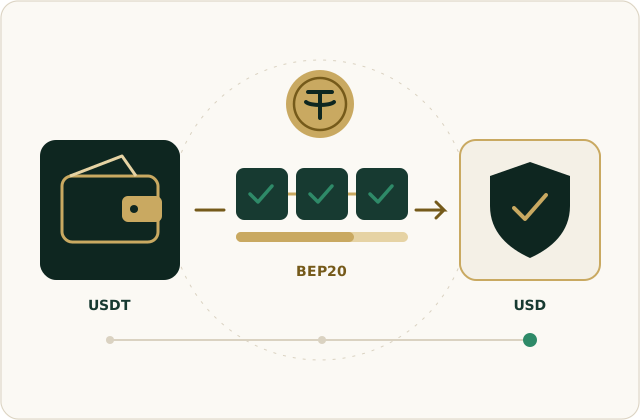
Step 1: Request it in the client portal
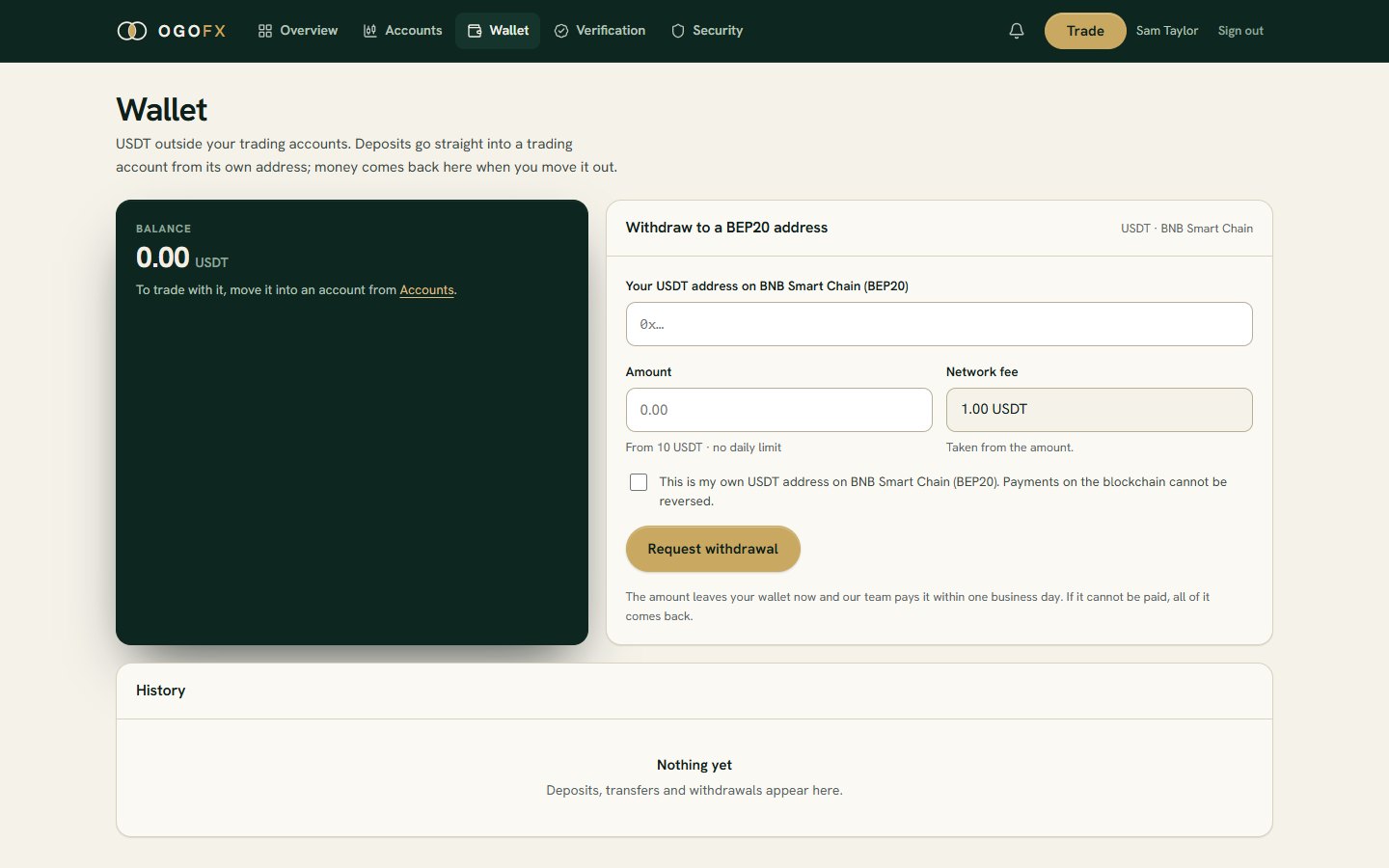
Choose your wallet or a trading account, enter the amount, at least 10 USDT, and your own BEP20 address for the USDT. From a trading account you can withdraw its free margin: money behind open positions stays with them.
-
Step 2: The OGOFX team reviews it
A member of the OGOFX team reviews every request before anything is sent. Up to 3 requests can wait at once.
-
Step 3: Sent on BNB Smart Chain
The team sends the USDT to your address. The withdrawal fee of 1 USDT applies to each withdrawal.
-
Step 4: Arrives once confirmed
The USDT reaches your wallet once the network confirms the transfer.
Withdrawal terms
- Your own address. Withdrawals go to your own BEP20 address, in a wallet or exchange account that is yours. Check that it accepts USDT on BNB Smart Chain.
- From the wallet or free margin. You can withdraw from your client-portal wallet, or from a trading account up to its free margin. Money that supports open positions cannot be withdrawn until it is free.
- Smallest amount. 10 USDT a withdrawal.
- A flat fee. The withdrawal fee is 1 USDT per withdrawal, not a percentage of what you take out.
- Requests waiting. Up to 3 withdrawal requests can wait for review at once.
- No daily limit on the amount you can withdraw.
- Verification. Only verified clients can withdraw.
- Questions about a withdrawal: withdrawals@ogofx.com, or support@ogofx.com, 24 hours a day, Monday to Friday.
Funding terms at a glance
Deposits
- Method
- USDT on BNB Smart Chain (BEP20)
- Where to send
- Your trading account's own deposit address, in the client portal
- Credited
- Once the network confirms the transfer; a deposit above $50 is credited after a check by the OGOFX team
- Smallest deposit
- 1 USDT; less waits on the address and is added to the next one
- OGOFX fee
- None
- First deposit at least
- Standard $5 · Raw $5,000 · Pro $20,000
Withdrawals
- Method
- USDT on BNB Smart Chain (BEP20), to an address of your own
- Requested
- In the client portal, from your wallet or a trading account, once your identity is verified
- From a trading account
- Up to its free margin: money held as margin for open positions stays in the account
- Sent
- Reviewed and sent by the OGOFX team
- Smallest withdrawal
- 10 USDT
- Withdrawal fee
- 1 USDT, taken from the amount
- Waiting at once
- Up to 3 requests
- Daily limit
- None
Fund an account in USDT
Register, verify your identity and open a trading account. Its deposit address is waiting in the client portal.