Trading terms
Leverage and margin
Leverage lets you open a position larger than the money you put up. Margin is the part of your money set aside to keep it open. Here is how both work at OGOFX, and what happens at margin call and stop out.
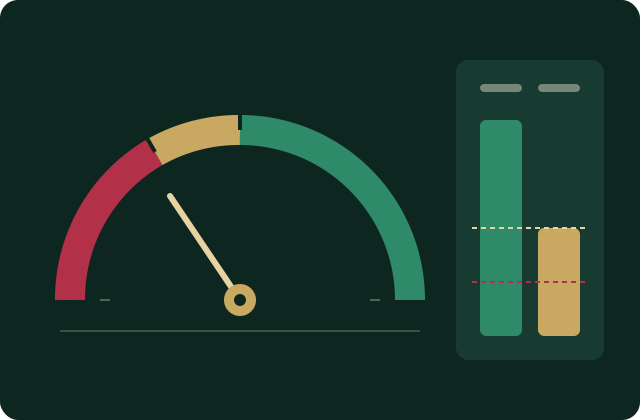
- maximum leverage, Standard
- 1:500
- maximum leverage, Raw
- 1:500
- maximum leverage, Pro
- 1:200
- stop-out margin level
- 50%
What leverage is
Leverage is written as a ratio. At 1:100, every dollar of margin holds a position worth one hundred dollars. A position worth $10,000 needs $100 of margin at 1:100, and $25 at 1:400.
Leverage changes how much margin a position ties up. It does not change what the position earns or loses: a price move on 1 lot makes the same profit or loss at 1:50 as at 1:400. What higher leverage does is let you open more and larger positions with the same money, and so lose it faster.
Choosing your leverage
You choose the leverage when you open a trading account, from 1:1 up to that account's maximum:
| Account | Maximum leverage | Minimum first deposit |
|---|---|---|
| Standard | 1:500 | $5 |
| Raw | 1:500 | $5,000 |
| Pro | 1:200 | $20,000 |
You can hold up to 3 trading accounts, each with its own leverage, if you want to trade at more than one level.
Position size limits
Leverage decides the margin a position needs, but not how large it can be. An account can hold up to 2 lots open in one instrument, so the largest order is 2 lots. The cap is per instrument on each account: positions in other instruments do not count against it.
What margin is
Margin is the amount held aside from your account while a position is open. It is worked out as:
- Currency pairs: lots × contract size ÷ leverage, in the margin currency (the first currency of the pair), converted into US dollars.
- Metals, indices and energy: lots × contract size × price ÷ leverage, in the margin currency, converted into US dollars.
The contract size and margin currency of each instrument are in the contract specifications. Because prices and exchange rates move, the margin of an open position in US dollars moves with them.
The figures on your account
| Figure | What it is |
|---|---|
| Balance | Deposits less withdrawals, plus the profit or loss of closed positions, less commission and swap charged. |
| Equity | Balance plus the floating profit or loss of your open positions, including their swap, right now. |
| Margin | The total held aside for your open positions. |
| Free margin | Equity minus margin: what is left to open new positions or absorb losses. |
| Margin level | Equity ÷ margin × 100%. The figure that margin call and stop out are measured against. |
Margin calculator
Choose an account, an instrument, a size and a leverage to see the margin a position needs at the current price. The leverage on offer is capped at the account's maximum, and the size at what one account can hold in one instrument.
Margin needed
—
- Position value
- —
- Price used
- —
- Margin call at
- equity below 100% of margin
- Stop out at
- equity below 50% of margin
An estimate with the live Standard price; the terminal shows the exact margin before you place an order. Leverage is chosen when an account is opened, up to its maximum. One account can hold up to 2 lots open in one instrument.
Margin call and stop out
Both are margin levels, and they are the same on every account.
| Margin level | What it means |
|---|---|
| Above 100% | Your equity covers the margin in use with room to spare. |
| 100%: margin call | Equity has fallen to 100% of the margin in use. This is the warning level. To move back above it, add funds or close or reduce positions. |
| 50%: stop out | Equity has fallen to 50% of the margin in use. The platform starts closing your open positions automatically, at the market price. |
A worked example
You have $1,000 on the account and open a position that needs $400 of margin. Your margin level is $1,000 ÷ $400 × 100% = 250%.
If the market moves against you, equity falls while the margin stays roughly the same. Margin call arrives when equity reaches 100% of $400. Stop out arrives when equity reaches 50% of $400, and the platform closes the position.
Stop out closes at the next available price. In a fast market, or when a market opens with a gap, that price can be worse than the stop-out level, and the loss larger.
If the balance goes below zero
If a fast market takes the account below zero before positions can be closed, a loss deeper than the balance is written off; the balance stops at zero. You cannot lose more than the money in your account.
Watch the margin level, not just the price
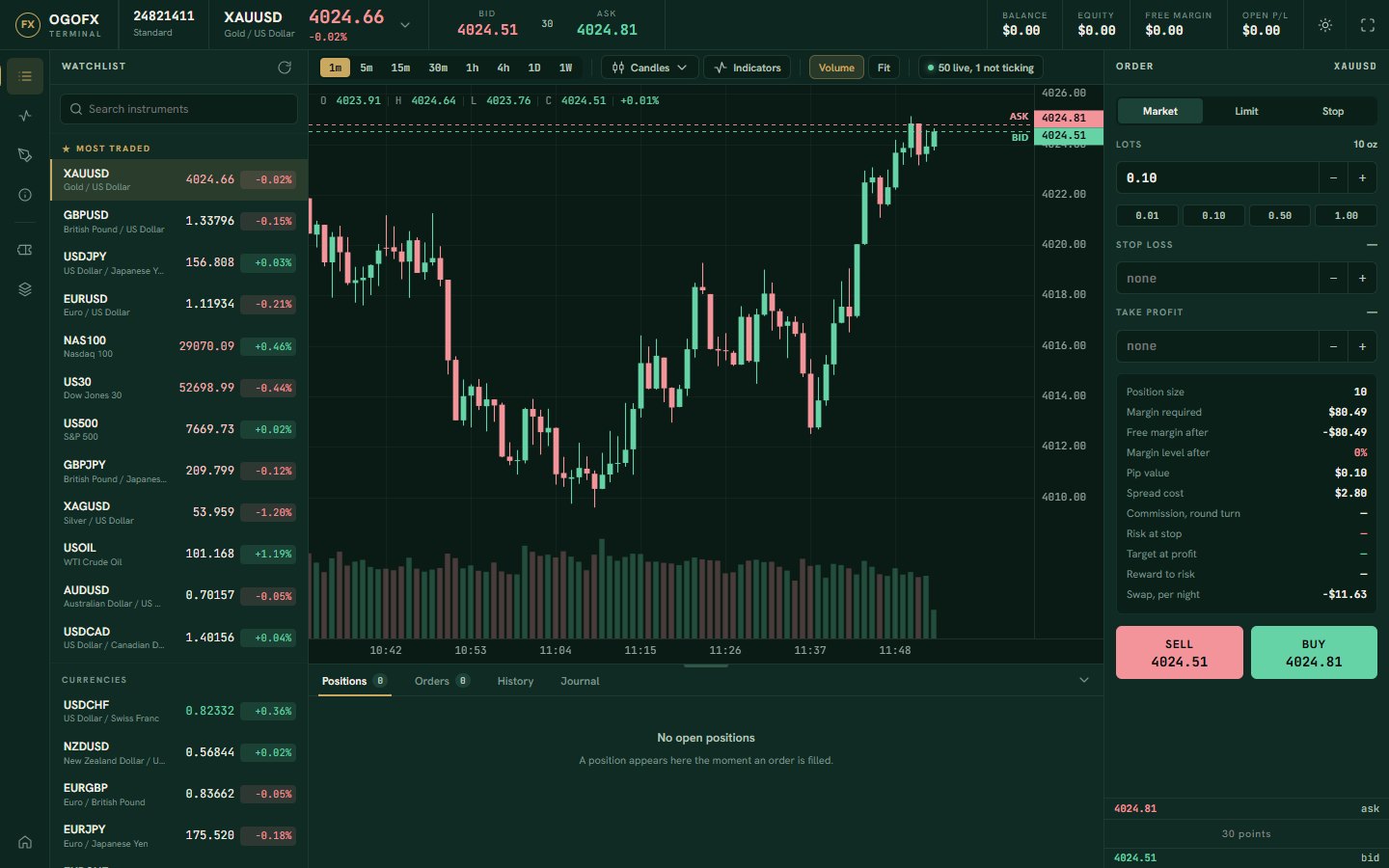
The OGOFX web terminal shows your positions and account figures on the same screen as the chart and the order ticket. On a phone it runs in the browser in its own layout.
Every open position counts towards the same margin level. A loss on one position reduces the free margin left for all the others.
Ways to keep margin under control
-
Choose your leverage with care
Lower leverage needs more margin per position, which leaves fewer and smaller positions on the same money.
-
Size positions with care
Orders start from 0.01 lot on currency pairs, and one account can hold up to 2 lots open in one instrument. Smaller positions move the margin level less for the same price move.
-
Set a stop loss
Add a stop loss and a take profit on the order ticket, so a position is closed at a level you chose before margin becomes the limit.
-
Keep free margin
Leave room for normal price moves. A position opened with almost no free margin can reach margin call on a small move.
-
Mind news and market opens
Spreads widen and prices can jump at these times, which reduces equity and can trigger stop out quickly.
-
Plan for the weekend
Markets close at the weekend. A position held over it can reopen at a very different price.
Pick your leverage when you open an account
Choose Standard, Raw or Pro and a leverage from 1:1 up to the account's maximum, in the client portal.